> ## Documentation Index
> Fetch the complete documentation index at: https://docs.niobi.co/llms.txt
> Use this file to discover all available pages before exploring further.
# Niobi User Not Found
## Overview
**400 - Bad Request**: This error indicates that the user associated with the provided credentials or details does not exist in the system.
```json theme={null}
{
"success": false,
"message": "Niobi user not found."
}
```
## Common Causes and How to Resolve
1. **Incorrect Sender Name**:
The `sender` field contains a value that is not related with any existing user in the system.
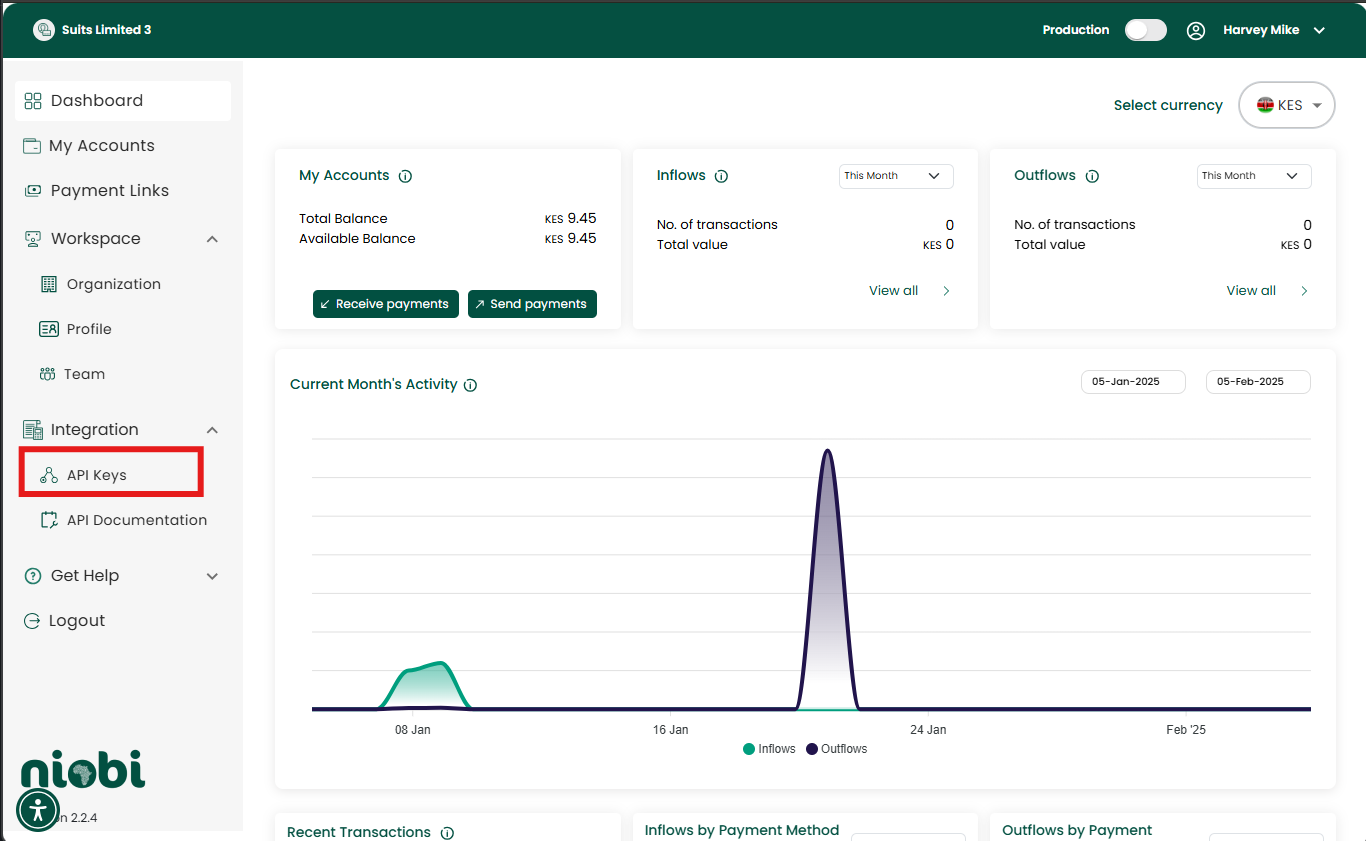
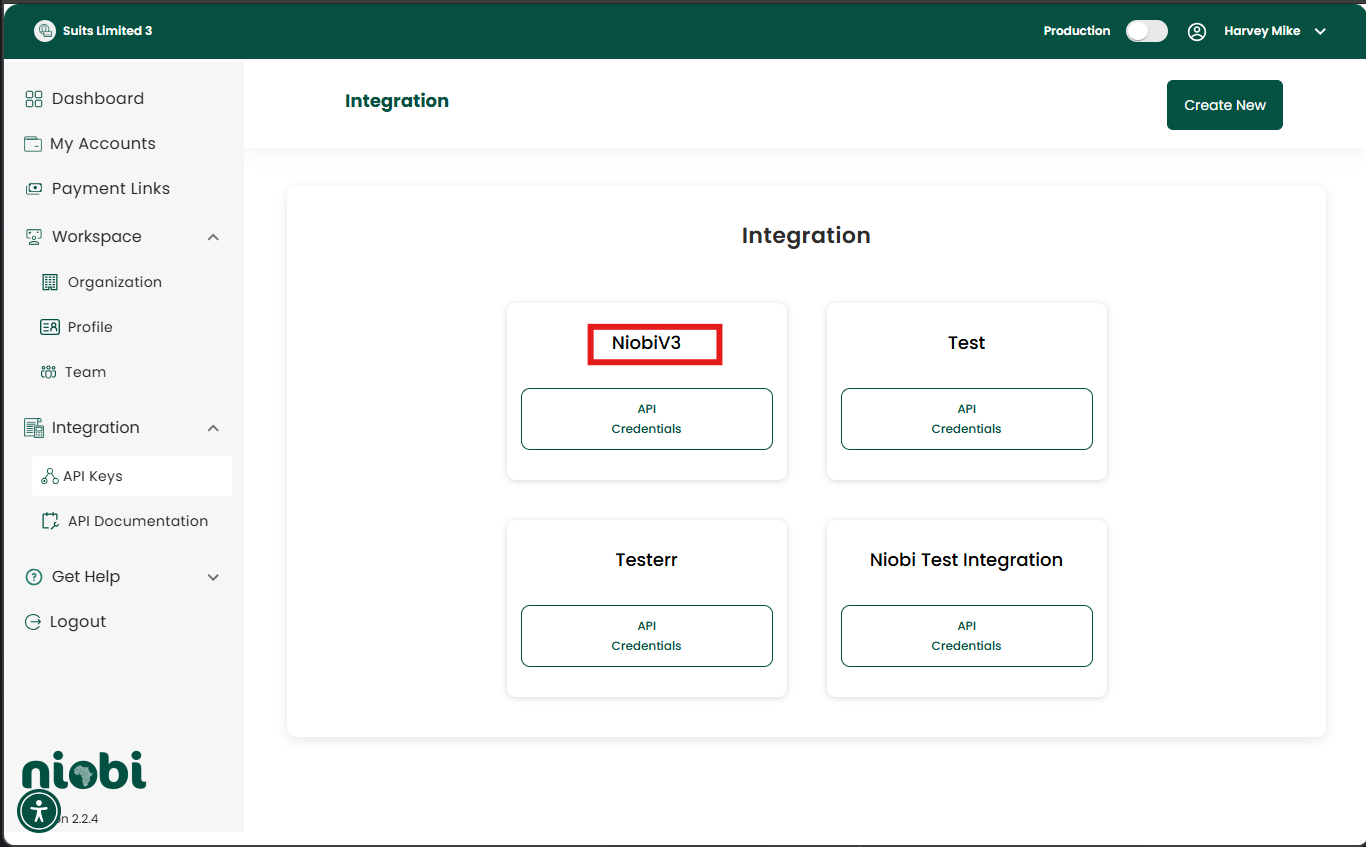
**How To Resolve**: Verify the `sender` name against the integration name created in the payment portal. You can check on the payment portal [here](https://payments.niobi.co)
 2. **Mismatch of Credentials**:
Using the integration credentials for the wrong environment (e.g., sandbox credentials in production) can result in this error.
**How To Resolve**: Always ensure the integration name (`sender`) belongs to the correct environment e.g. sandbox or production.
***
## Best Practices
* **Distinguish Your Integration Name**
* Always use distinct and easily identifiable integration names for sandbox and production environments. This helps prevent confusion and reduces the risk of using the wrong credentials in the wrong environment.
* **Validate Your Inetgration Name**:
* After generating your API credentials, verify the spelling and ensure the name matches the integration title exactly to avoid errors or typos. For more details on generating credentials, refer to the [API Credentials section](/gettingcredentials).
***
If the issue persists, please contact our team at [support@niobi.co](mailto:support@niobi.co).
***
## Additional Resources
* [Payment Portal](https://payments.niobi.co)
-[Generating API Credentials](/gettingcredentials)
2. **Mismatch of Credentials**:
Using the integration credentials for the wrong environment (e.g., sandbox credentials in production) can result in this error.
**How To Resolve**: Always ensure the integration name (`sender`) belongs to the correct environment e.g. sandbox or production.
***
## Best Practices
* **Distinguish Your Integration Name**
* Always use distinct and easily identifiable integration names for sandbox and production environments. This helps prevent confusion and reduces the risk of using the wrong credentials in the wrong environment.
* **Validate Your Inetgration Name**:
* After generating your API credentials, verify the spelling and ensure the name matches the integration title exactly to avoid errors or typos. For more details on generating credentials, refer to the [API Credentials section](/gettingcredentials).
***
If the issue persists, please contact our team at [support@niobi.co](mailto:support@niobi.co).
***
## Additional Resources
* [Payment Portal](https://payments.niobi.co)
-[Generating API Credentials](/gettingcredentials)