


Supported Payment Methods & Payload Requirements
Payment Flow: How It Works
Deposits (Collections)
1. EFT Bank Collections (payment_method_type: "bank_eft")
- Initiation: Send a POST request to the Unified Collections endpoint with
payment_method_type: "bank_eft",country_id: 15,currency: "ZAR",bank_code,successful_url, andfailure_url. - Customer Redirection: Niobi returns an
authorization_urlin the initial response (payment_step: 1). Redirect the customer to this URL to log into their bank portal and approve the transfer. This URL is single-use and expires once opened, do not open it yourself to preview or test it, only the customer should open it, and only once they’re ready to pay. If it expires unused, you’ll need to initiate a new request to get a fresh one. - Completion & Callback: Once the customer approves or cancels the transfer on their bank’s portal, they’re redirected to your
successful_urlorfailure_urlaccordingly, and Niobi delivers an asynchronous webhook callback (payment_step: 2) to yourcallback_url.
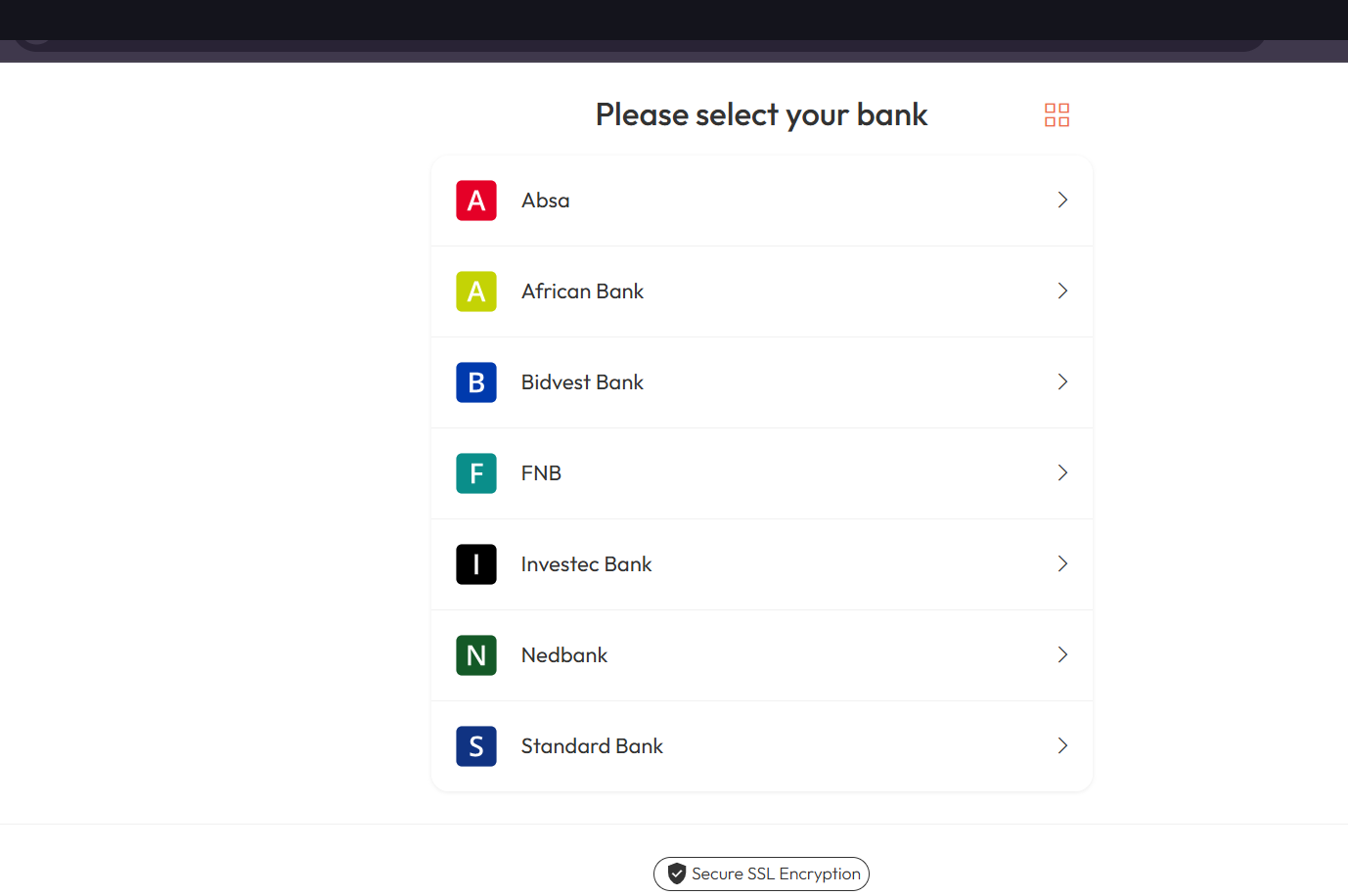
The customer selects their bank on the authorization_url page before approving the transfer.
Supported South African Banks for EFT Collections:
- ABSA (
0001) - First National Bank (FNB) (
0002) - Investec (
0003) - Nedbank (
0004) - Standard Bank (
0005) - Bidvest Bank (
0006) - TymeBank (
0007)
2. Capitec Collections (payment_method_type: "capitec")
- Initiation: Send a POST request to the Unified Collections endpoint with
payment_method_type: "capitec"and the customer’s 13-digit South African ID number inid_number. - In-App Approval: The customer receives a prompt on their Capitec banking app to approve the debit.
- Callback Delivery: Niobi delivers an asynchronous webhook callback (
payment_step: 2) to yourcallback_url.
Payouts (Disbursements)
- Initiation: Send a POST request to the Unified Payments endpoint with
payment_method_type: "bank". - Recipient Details: Include the recipient’s bank name, bank code, branch name, account name, and account number.
- Settlement: Funds are routed via Real Time Clearing (RTC) or Electronic Funds Transfer (EFT).
- Callback Delivery: Niobi delivers a terminal webhook callback (
payment_step: 2) once funds clear.
Sample Requests & Responses
EFT Deposit Request
EFT Deposit Response (Initiation)
authorization_url to complete authentication with their bank.
Capitec Deposit Request
Payout Request (Bank Transfer)
Webhook/Callback Examples
Successful Deposit Callback
Successful Payout Callback
Try it
Try it: POST /api/v4/niobi-unified-collections
Collections API reference for South Africa deposits.
Try it: POST /api/v4/niobi-unified-payments
Payments API reference for South Africa payouts.